
guide / analysis

Apple Watch Water Lock During Padel: Why Taps Stop

If Apple Watch stops accepting score taps during padel, check Water Lock. Learn the current unlock control and plan a scorekeeping fallback before play.

Quick answer

Water Lock stops an Apple Watch display responding to touch. If it is enabled during padel, touch-based scoring will be blocked too. Apple’s current instruction is to press and hold the Digital Crown until Unlocked appears; watchOS 8 and earlier use rotation instead. Check the lock state before assuming the scoring app has failed.

Score on your Watch.
Review on your iPhone.

Download Padel Pointer for iPhone and Apple Watch.

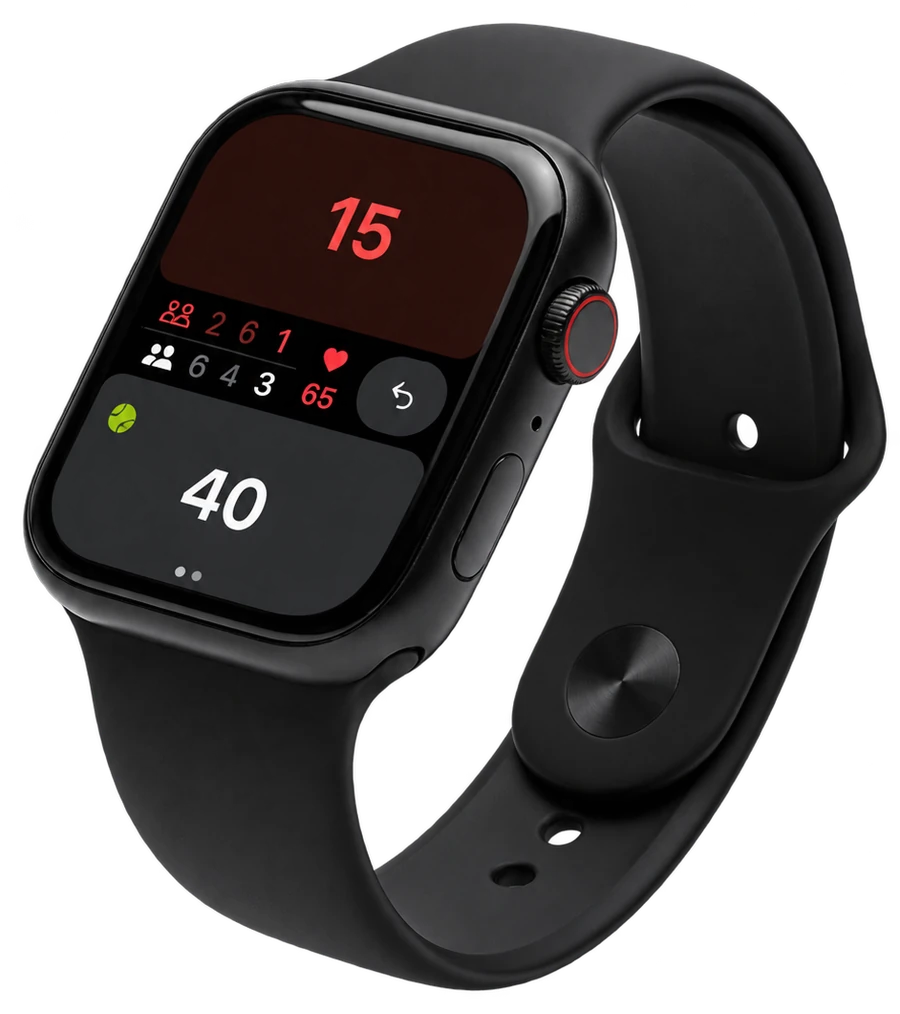
Padel Pointer showing a live padel score on Apple Watch

Identify the lock state first

Suppose a fictional player, Erin, can see the match screen but tapping does not change the score. The useful first observation is whether Water Lock is enabled, rather than immediately restarting the watch or repeatedly tapping an uncertain score. Apple shows a water-drop status icon for that state.

Water Lock and an app-specific input problem are different possibilities. The icon is one check, not proof that every frozen screen has the same cause. Record what you see and preserve the agreed match score while you investigate.

Use the control for your watchOS version

Apple’s current support instructions say to press and hold the Digital Crown until the display reports Unlocked. Turning Water Lock off also plays tones to clear water from the speaker. The same support page notes that watchOS 8 and earlier use Crown rotation instead.

Do this between points, then confirm that the intended app is still on screen. Compare the displayed score with the one both pairs agree before entering another point. This is a recovery routine to try, not a claim that a physical-device test was performed for your watch or app version.

Understand the trade-off before using Water Lock

Water Lock prevents accidental display input by preventing display input generally. That means it is a poor fit for a routine that depends on tapping a score after every rally while leaving the lock on. A locked display cannot simultaneously act as a normal touch score button.

If you choose to enable it for part of a session, decide how the score will be kept during that period. A partner calling and noting the score is a fallback you can agree; it is not an automatic handover or a synchronisation feature added to Padel Pointer.

Make a short check before the first real point

Away from live play, identify the side button and Crown, check whether the drop icon is visible, and practise the unlock control appropriate to your software. If you open Control Centre, Apple’s current Water Lock guide uses the side button. Do not change an unfamiliar setting halfway through a disputed rally.

A useful fictional checklist is: agreed starting score, display unlocked, correct scoring screen, one clearly understood person responsible for recording. Test only when the result will not be mistaken for a real point, and correct any practice entry before the match begins.

Keep the product promise narrow

Padel Pointer supports Apple Watch scoring and iPhone match history. This page explains a system setting that can stop touch input; it does not claim the app can bypass Water Lock, that locking prevents every accidental point, or that the setting diagnoses sweat or hardware faults.

If the display still fails to respond after the lock is off, follow Apple’s support guidance for the actual symptoms and retain the agreed score elsewhere. Avoid recording an invented result just to make the on-screen history look complete.

Frequently asked questions

Does Water Lock know a padel point has ended?

No such function is claimed. It is a system display-input lock, not a rules or score detector.

Should I rotate or hold the Crown?

Apple’s current instructions use press and hold. Its support note says to rotate for watchOS 8 and earlier.

Can I keep normal tap scoring while Water Lock stays enabled?

Water Lock disables touch response on the display. Choose a scorekeeping routine that accounts for that restriction.

Sources and evidence

Read next

Record the agreed score

Use Padel Pointer for Apple Watch scoring and iPhone match history.

Padel Pointer scorekeeping on a black Apple Watch